
How to Create a BioLink for Instagram, TikTok & Other Social Media
Table of Contents
- How to Create a BioLink for Instagram, TikTok & Social Media (Complete Guide)
- What Is a BioLink?
- How to Create a BioLink Using Toolszu Creator
- Why Use Toolszu Creator for BioLink?
- Video Tutorial for Creating an Instagram BioLink
- Tips to Create an Effective BioLink
- Benefits of Using a BioLink
- Final Thoughts
How to Create a BioLink for Instagram, TikTok & Social Media (Complete Guide)
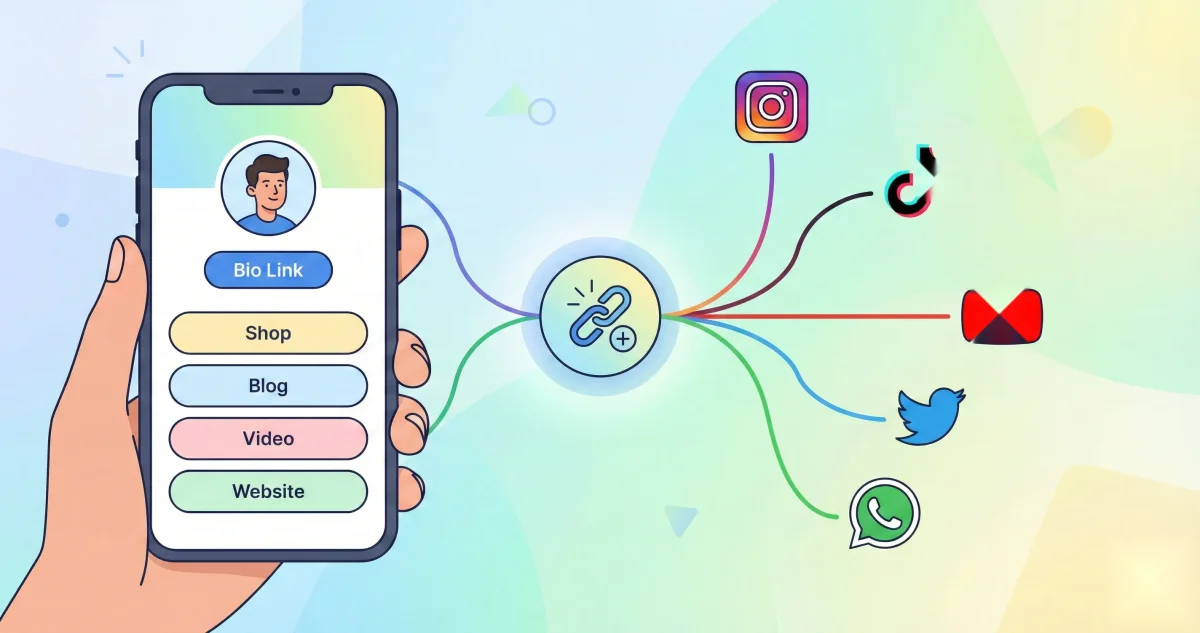
Creating a BioLink is one of the smartest ways to manage multiple links on platforms like Instagram, TikTok, Twitter, and Facebook. Since most social media platforms allow only one clickable link in the bio section, a BioLink helps you combine all your important links into a single, easy-to-access page. With a BioLink, you can guide your audience to your website, YouTube channel, online store, social profiles, or any other destination without limitation.
What Is a BioLink?
A BioLink is a single landing page that contains multiple links. It is commonly used by creators, influencers, businesses, and marketers to share all important resources in one place. Instead of constantly changing your bio link, you simply update your BioLink page whenever needed. This makes it an essential tool for social media growth and traffic management.
How to Create a BioLink Using Toolszu Creator
Creating a BioLink using Toolszu Creator is simple and beginner-friendly. Toolszu provides a powerful and free BioLink builder designed for creators and businesses.
Step 1: Visit Toolszu Creator
Go to Toolszu Creator (https://toolszu.com/creator/) where you can create and manage your BioLink pages easily.
Step 2: Sign Up or Log In
Create a free account or log in to access the dashboard. This allows you to save, edit, and track your BioLink anytime.
Step 3: Create a New BioLink
Click on the option to create a new BioLink. You will be redirected to a customization panel where you can design your page.
Step 4: Add Your Links
Add all important links you want to share, such as your Instagram profile, TikTok account, YouTube channel, website, blog, online store, or affiliate links. You can arrange them in any order based on priority.
Step 5: Customize Your BioLink Page
Customize your BioLink with a profile image, brand colors, buttons, and a short description. This helps your page look professional and aligned with your brand identity.
Step 6: Preview and Publish
Preview your BioLink to ensure everything looks perfect. Once satisfied, publish it and copy your unique BioLink URL.
Step 7: Add BioLink to Your Social Profiles
Paste your BioLink into the bio section of Instagram, TikTok, Twitter, Facebook, or any other platform. Now your audience can access all your links from one place.
Why Use Toolszu Creator for BioLink?
Toolszu Creator is designed for creators who want simplicity, speed, and performance. It is completely free to use and does not require technical skills. You can customize your BioLink easily, track clicks with built-in analytics, and manage all your links from one dashboard. Unlike many tools, it focuses on speed, clean design, and ease of use, making it perfect for beginners and professionals.
Video Tutorial for Creating an Instagram BioLink
If you want a step-by-step visual guide, you can watch the tutorial on how to create an Instagram BioLink page using Toolszu Creator. The video walks you through account creation, customization, and publishing your BioLink for maximum engagement.
Tips to Create an Effective BioLink
Keep your BioLink clean and avoid adding too many links. Use clear button names so users know where they are clicking. Match the design with your brand colors for consistency. Update your links regularly to promote new content, offers, or products. Always place your most important link at the top.
Benefits of Using a BioLink
A BioLink helps you save space by combining all links into one. It increases engagement by making navigation easy for users. It gives your profile a professional look and improves click-through rates. It also helps track user behavior and optimize your content strategy.
Final Thoughts
A BioLink is an essential tool for anyone serious about growing on social media. With Toolszu Creator, you can create a professional BioLink page in minutes without coding or technical skills. Whether you are a creator, influencer, business owner, or marketer, a BioLink helps you drive traffic, increase engagement, and manage your online presence more effectively.