
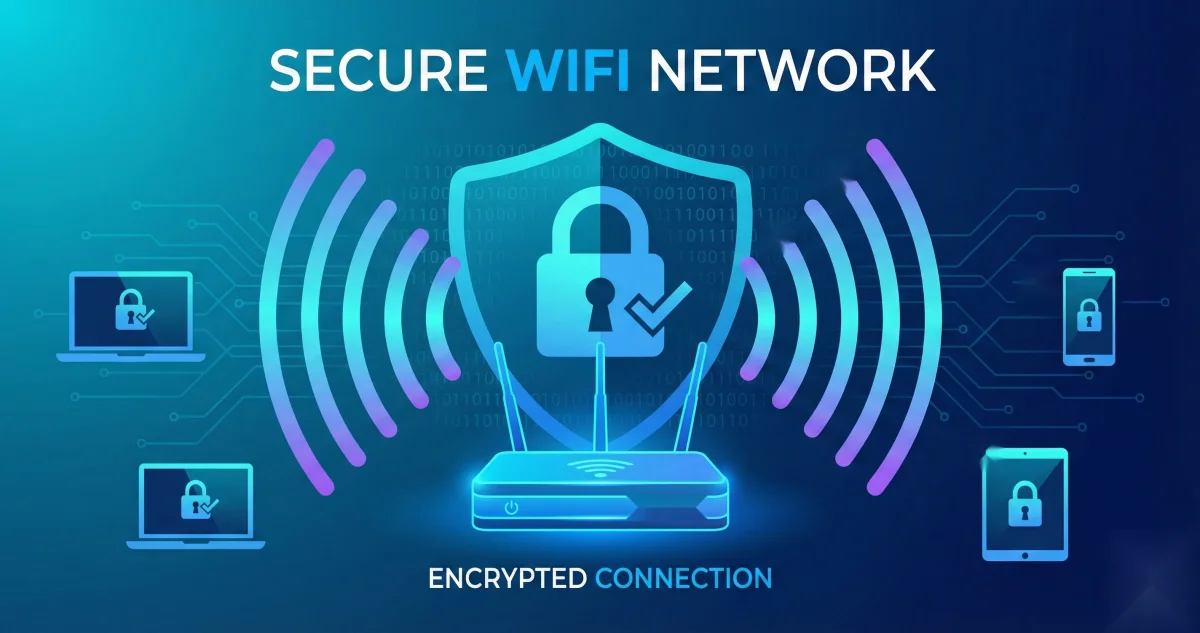
What is password-protected wireless technology, and how does it function?
Table of Contents
Password-Protected Wireless Technology Explained
Password-protected wireless technology is essential for preventing unauthorised access, data theft, and network misuse. It works by combining encryption techniques, authentication mechanisms, and access control rules to ensure that only authorised users can connect to a wireless network and safely exchange data.
Without proper wireless security, attackers can intercept sensitive information, misuse bandwidth, or gain access to connected devices. That’s why securing your Wi-Fi network is a critical step for both home users and businesses.
How Password-Protected Wireless Technology Works
Wireless network security relies on three key components: encryption, authentication, and access control.
Encryption protocols convert data into an unreadable format so that only authorised users with the correct key can decrypt it. This ensures that even if data is intercepted, it cannot be understood.
Authentication methods verify the identity of users attempting to connect to the network. Common examples include passwords, PINs, and biometric verification.
Access control policies define what users can do once connected, such as limiting access time, bandwidth usage, or network resources.
Wireless Encryption Protocols Explained
Wireless networks use different security protocols to protect data and prevent unauthorised access.
WEP (Wired Equivalent Privacy)
WEP is the oldest wireless encryption protocol and is highly insecure. It can be easily cracked using modern tools and should never be used.
WPA (Wi-Fi Protected Access)
WPA was introduced as an improvement over WEP. It uses TKIP encryption, which provides better security but is now outdated.
WPA2
WPA2 uses AES encryption, making it significantly more secure than WPA. It has been the standard for many years and is still widely used.
WPA3
WPA3 is the latest and most secure wireless protocol. It offers stronger encryption, protection against dictionary attacks, and improved security for IoT devices.
For maximum security, WPA3 is recommended. If unavailable, WPA2 is the next best option.
How to Password-Protect Your Wireless Network
Securing your Wi-Fi network requires more than just setting a password. Follow these best practices to strengthen your network security.
Use a Strong and Unique Password
Your Wi-Fi password is your first line of defense. It should be at least eight characters long and include uppercase letters, lowercase letters, numbers, and symbols. Avoid personal details or common words.
You can create secure passwords using Toolszu’s Password Generator and test them with the Password Strength Checker.
Keep Router Firmware Updated
Router manufacturers regularly release firmware updates to fix vulnerabilities. Updating your router ensures you are protected against known security threats.
Enable the Most Secure Encryption
Always select WPA3 if supported by your router and devices. If not, use WPA2. Avoid WEP entirely, as it is extremely insecure.
Change Default Network Name (SSID)
Rename your network to something unique that does not reveal personal information. Disabling SSID broadcast can add an extra layer of obscurity, though it should not be relied on as the only security measure.
Enable Firewall and Security Software
Turn on your router’s firewall and use antivirus or security software on connected devices. Additional tools like VPNs, anti-spyware, and phishing protection further enhance safety.
What Is the Difference Between WPA and WPA2?
The primary difference between WPA and WPA2 lies in their encryption methods.
WPA uses TKIP encryption, which is weaker and outdated.
WPA2 uses AES encryption, which is far more secure and resistant to attacks.
WPA2 also includes improved key management and stronger authentication, making it significantly more secure than WPA.
What Is TKIP?
TKIP (Temporal Key Integrity Protocol) was designed to replace WEP without requiring new hardware. It introduced several improvements such as key mixing, sequence counters, and message integrity checks.
However, TKIP has been considered insecure since 2009. It is vulnerable to modern attacks and should no longer be used. Modern networks should rely on WPA2 or WPA3 instead.
How Does AES Encryption Work?
AES (Advanced Encryption Standard) is a highly secure encryption algorithm used in WPA2 and WPA3.
AES works by dividing data into 128-bit blocks and encrypting them through multiple transformation rounds. Depending on the key length (128, 192, or 256 bits), the algorithm applies 10, 12, or 14 rounds of encryption.
Each round includes operations such as data substitution, shifting, mixing, and key addition. The final output is encrypted data known as ciphertext, which can only be decrypted using the correct key.
AES is widely trusted and used by governments, financial institutions, and modern wireless networks.
Final Thoughts
Password-protected wireless technology plays a crucial role in safeguarding data, devices, and network integrity. Choosing the right encryption protocol, using strong passwords, and maintaining proper network settings can significantly reduce security risks.
For added protection and better digital hygiene, you can also explore Toolszu utilities such as:
-
Password Generator
-
Password Strength Checker
-
SSL Checker
-
Network Speed Tester
-
Server Status Checker
Staying proactive with wireless security ensures a safer and more reliable online experience.