
Free Resume Builder
Build a free, ATS-friendly resume or CV in minutes. Use AI to perfect your text, pick a template, and download your PDF instantly. No signup required.
Quick Actions
Contact Information
Upload Photo
JPG, PNG, WEBP. Keep it under 500KB - if it's larger, try our Image Compressor first. Auto-deleted from our servers after 1 hour.
Upload signature
For best results, use a clear signature on a white or transparent background, at least 400px wide. JPG, PNG, or WEBP, max 500KB – auto-deleted from our servers after 1 hour.
Don't have a digital signature yet? Create one with our Signature Generator, then upload it here. Prefer to sign after downloading? Use our Sign PDF Online tool instead.
Link your LinkedIn, portfolio, or GitHub. Recruiters scan it straight off the printed page. Built in your browser – the link is never sent to our servers.
Professional Summary
Professional Experience
Education
Projects
Skills
Activities
Languages
Custom Sections
Add anything not covered above - Certifications, Awards, Languages, Projects, Volunteering, etc.


How to Make a Resume Online for Free
Create a professional, ATS-friendly resume in three simple steps. No account required.
Fill In Your Details
Work through the steps on the left - contact details, summary, experience, education, and skills. Use the AI Write button to overcome writer's block instantly.
Choose an ATS Design
Pick from 11 templates and 12 accent colours. The live preview updates as you type and displays the exact A4 layout, so you know exactly what recruiters will see.
Download PDF Instantly
Click Download PDF to export a high-quality, print-ready document. There are no watermarks, no paywalls, and no hidden fees.
Watch: How to Make a Resume Online for Free
See how to fill in your details, pick an ATS-friendly template and download your resume as a PDF, step by step.
Choose From 11 Professional Designs
Whether you need a strict ATS-friendly format or a modern layout for creatives, we have a template for you.
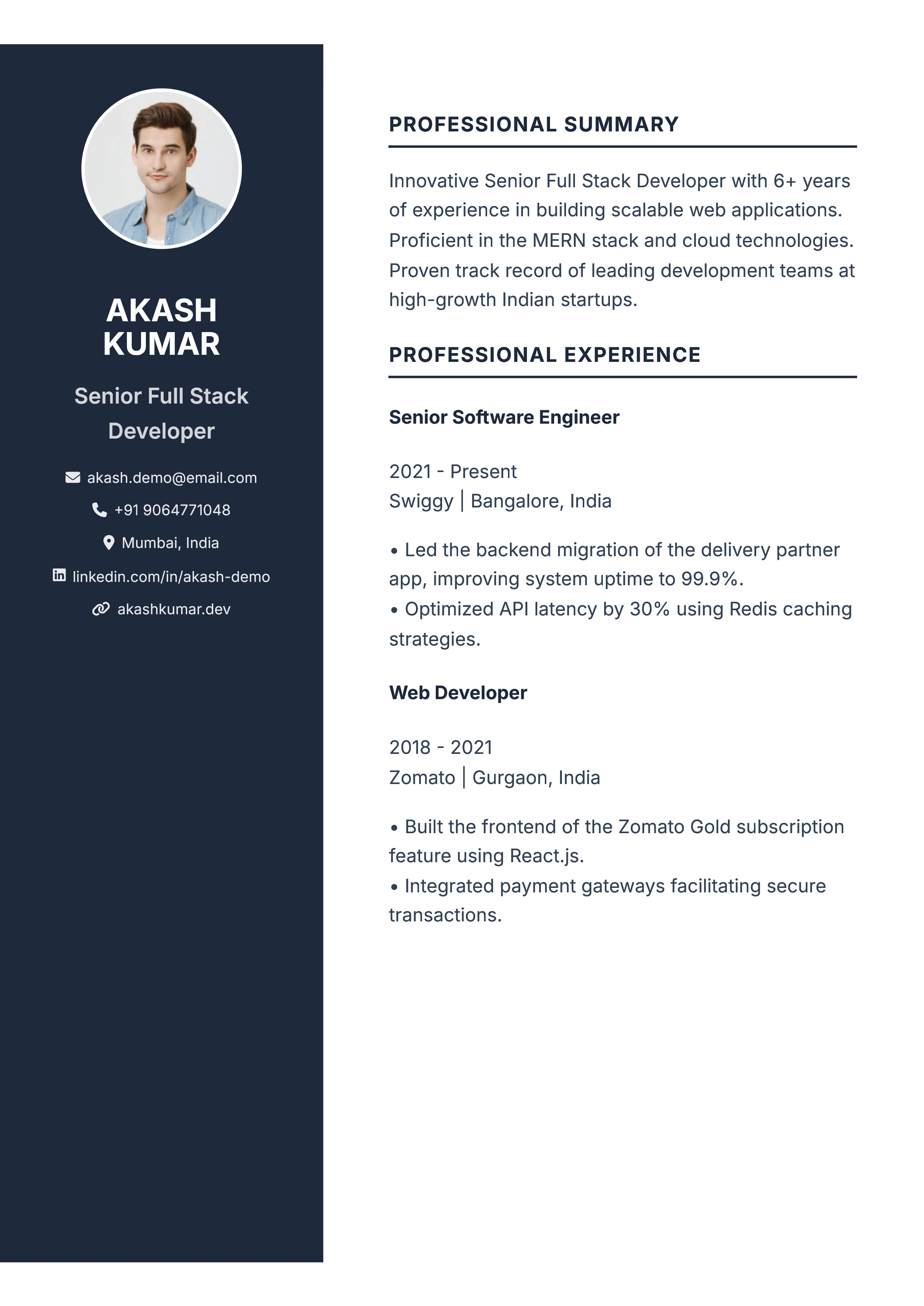
Minimalist
A sleek, modern sidebar layout that highlights your skills and contact details while keeping experience front and center.
Use This Template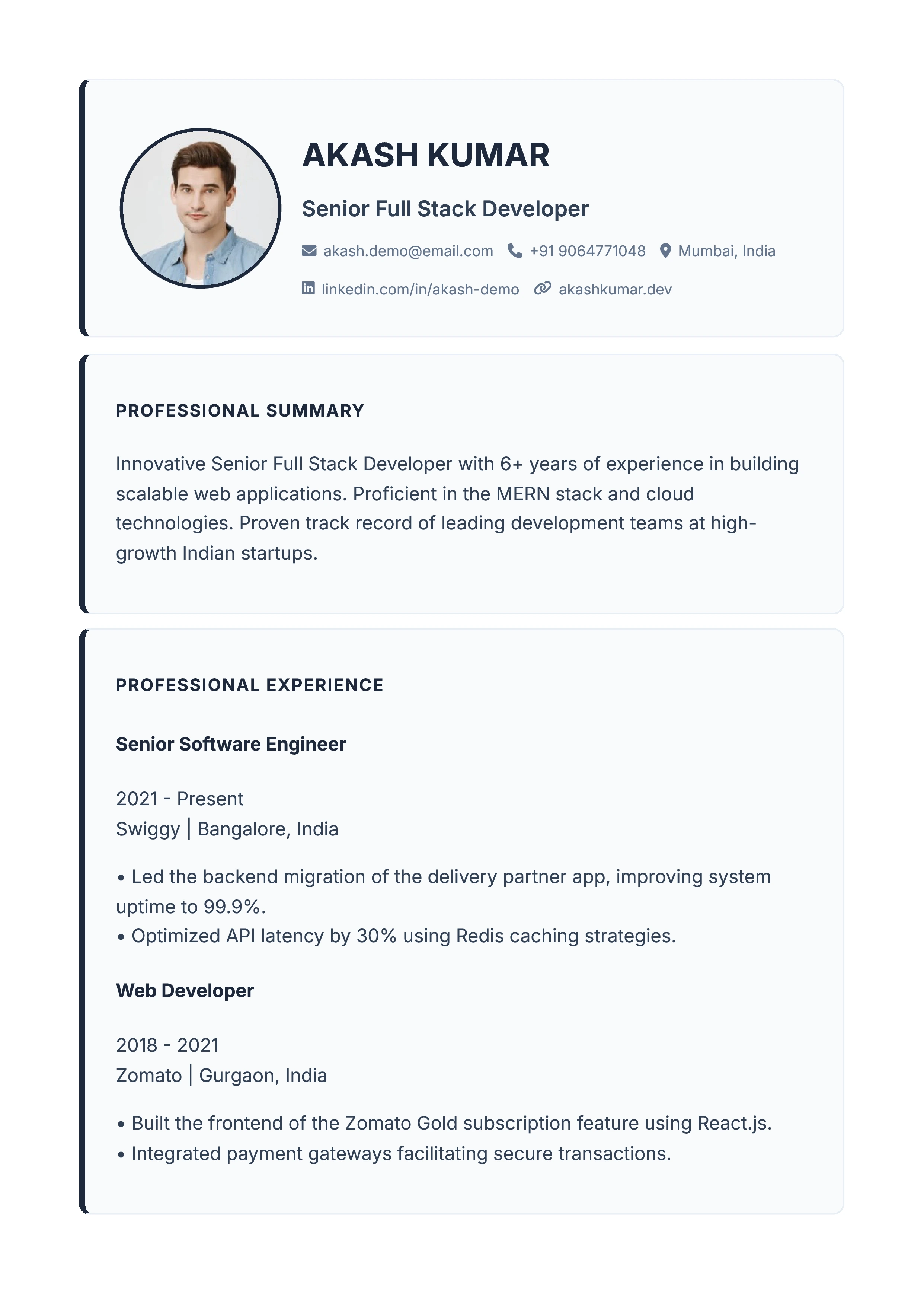
Boxed Cards
A structured, traditional format with clean section breaks. Highly recommended for corporate roles and strict ATS systems.
Use This Template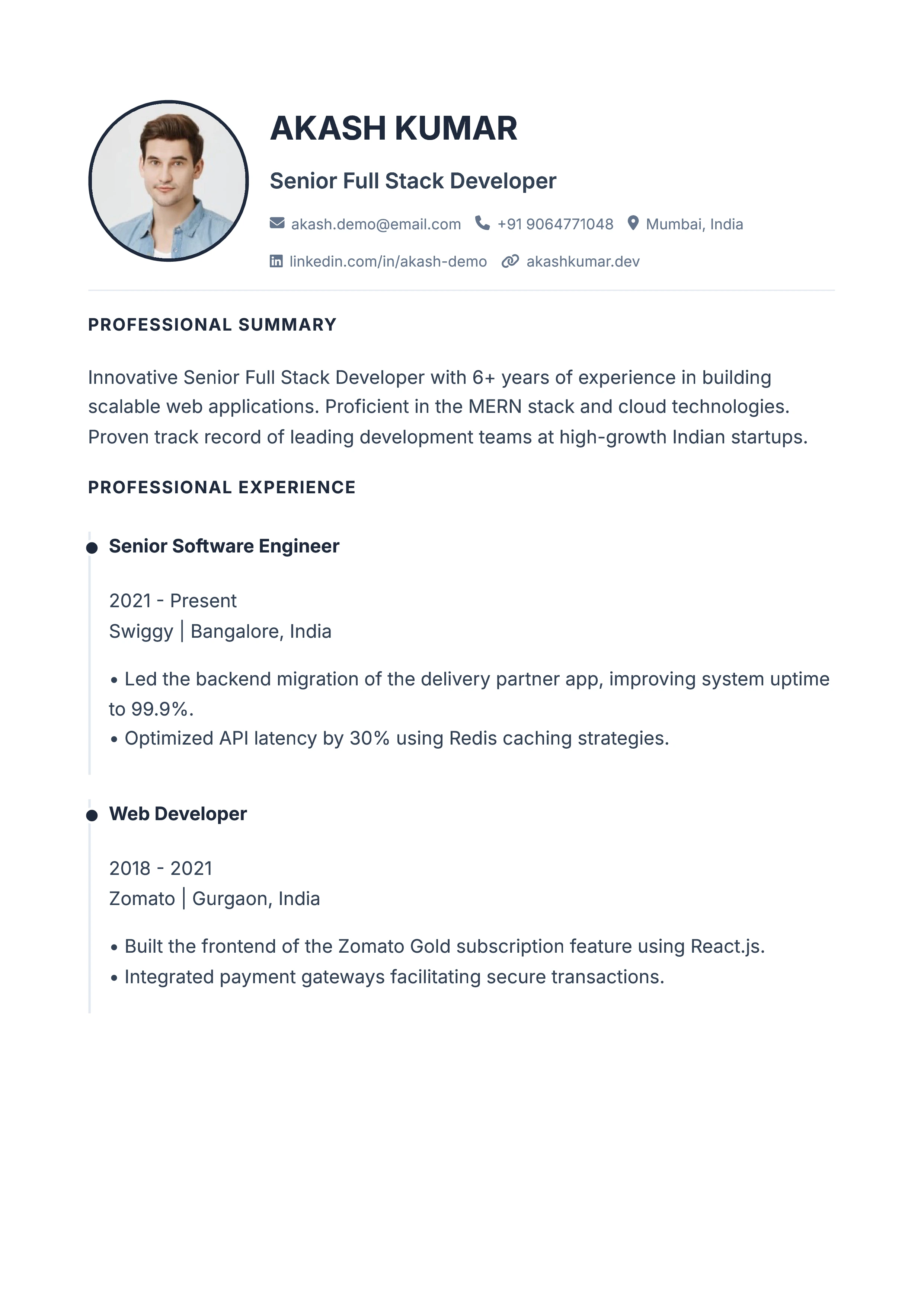
Timeline Rail
Visually connects your career history with a sleek vertical timeline. Perfect for showing progression and promotions.
Use This Template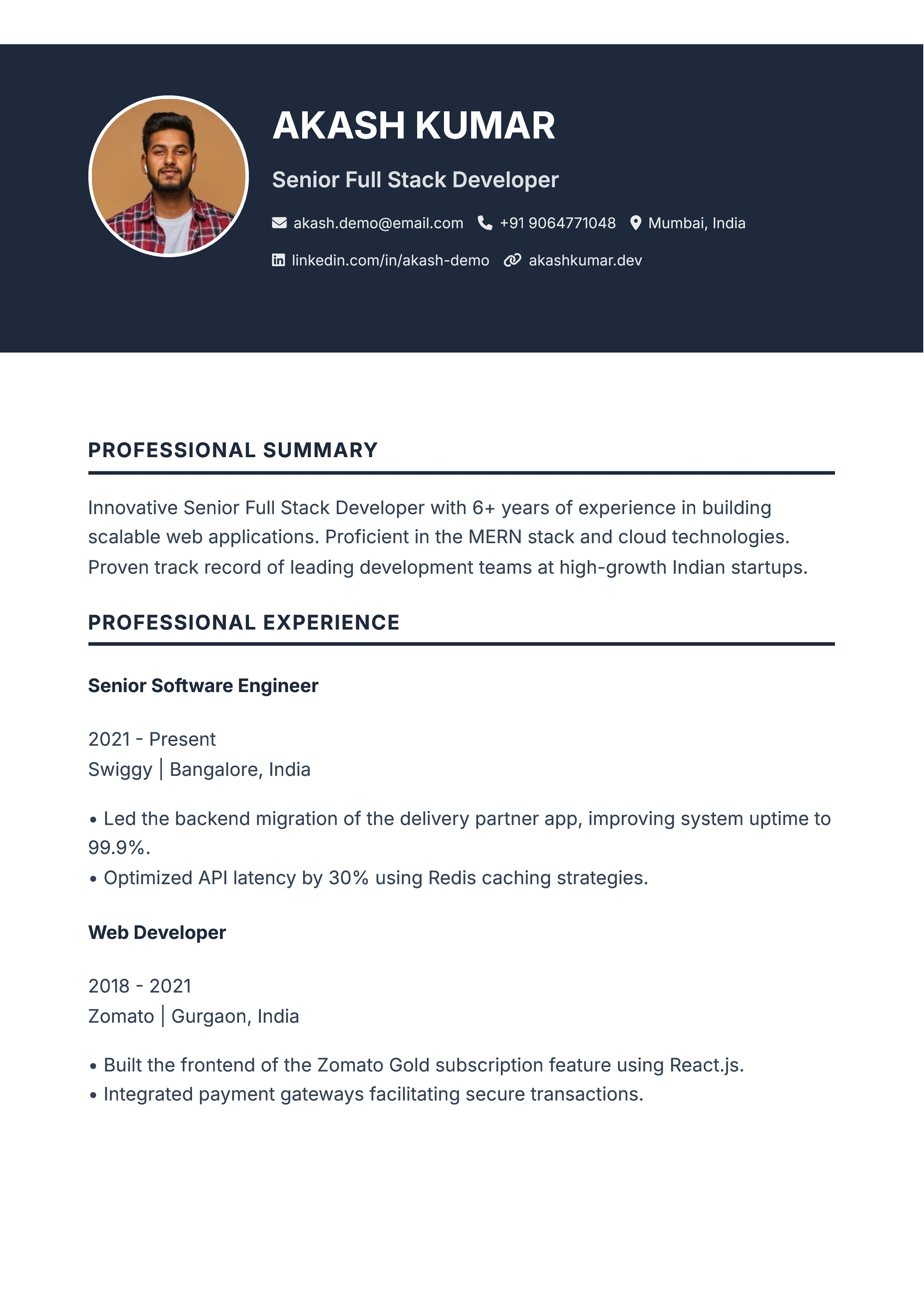
Bold Header
Make a strong first impression with a striking, high-contrast header block that makes your name and title stand out.
Use This Template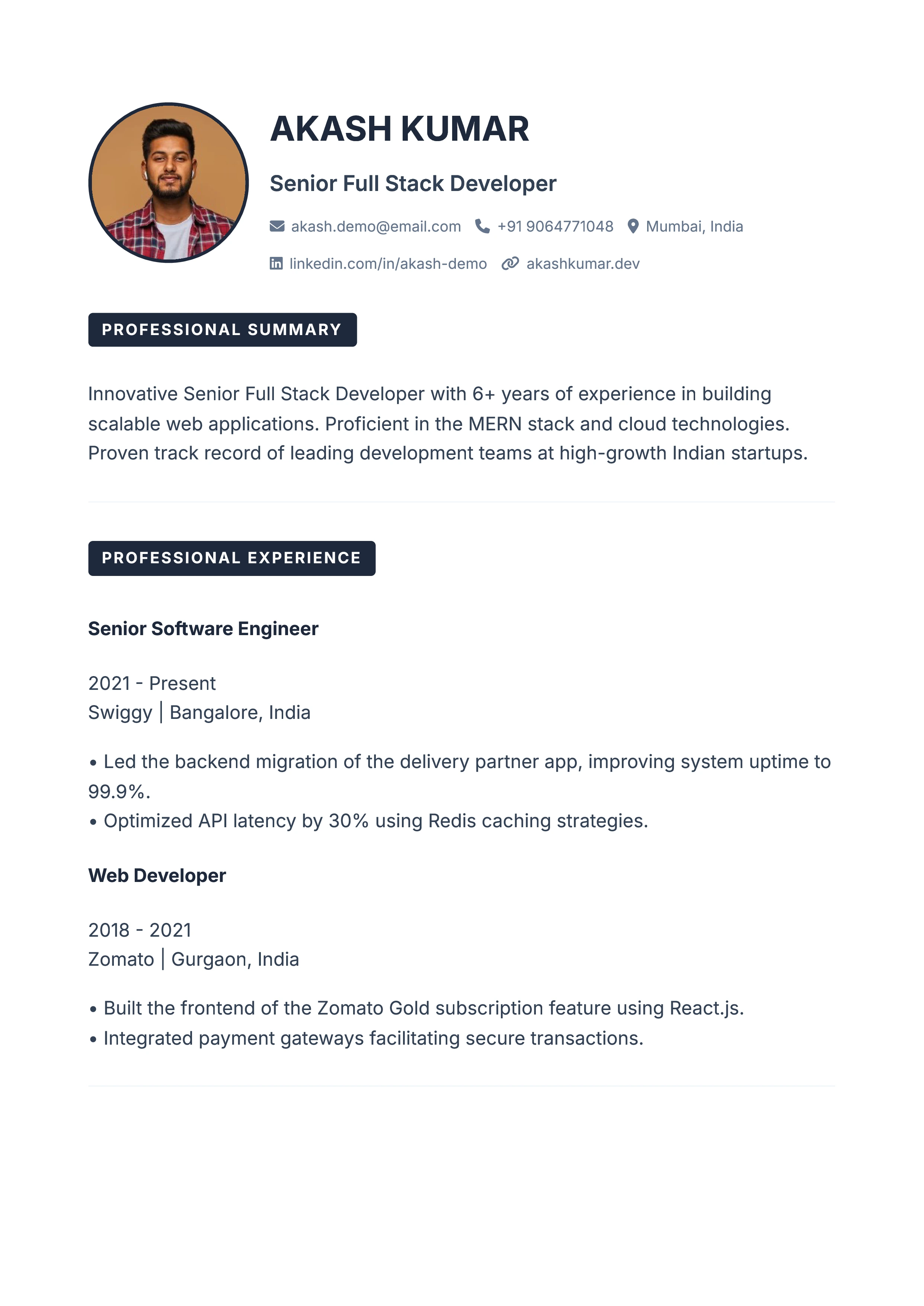
Accent Tabs
A crisp, well-organized layout featuring subtle color accents on section headers to guide the recruiter's eye.
Use This Template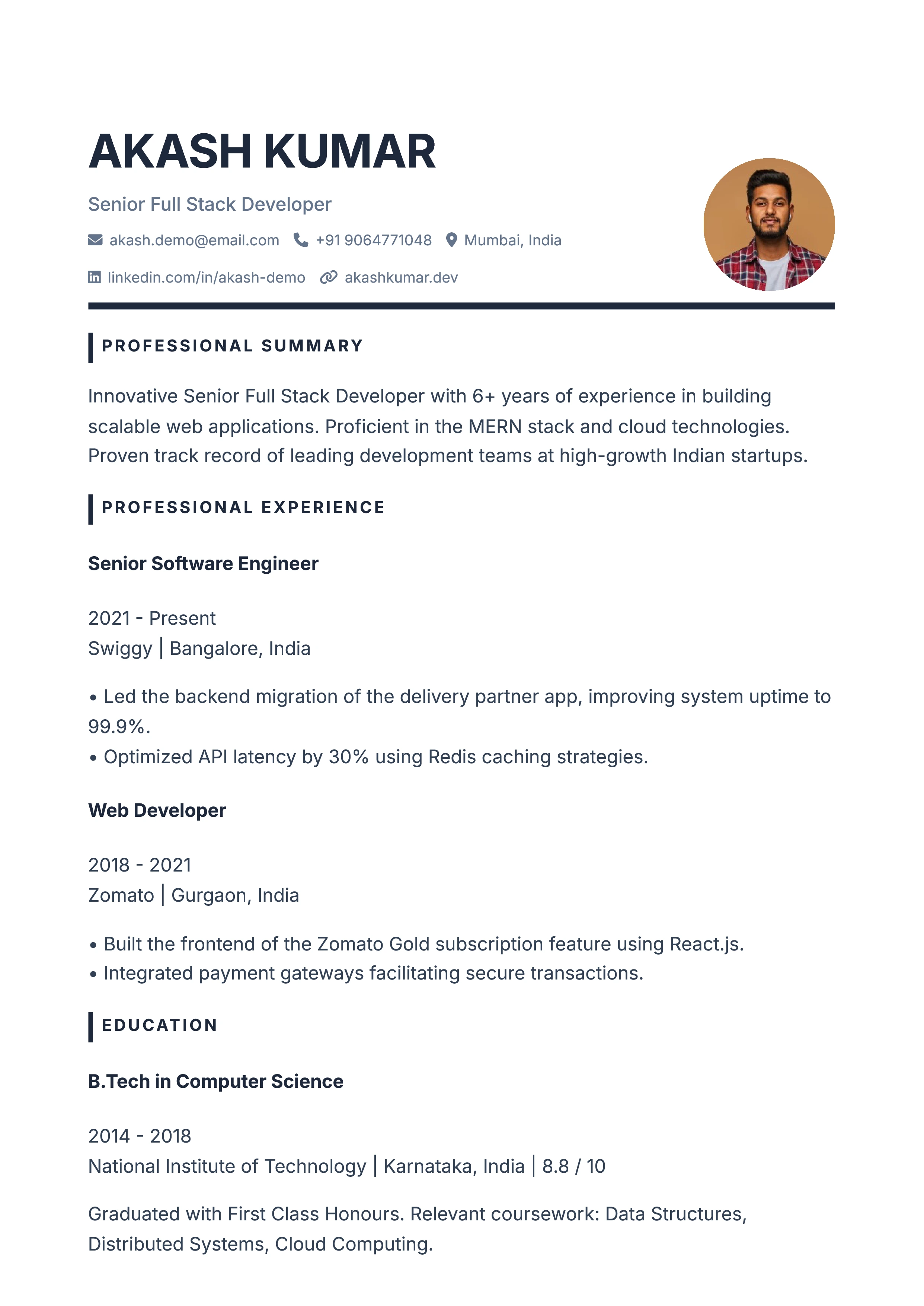
Statement
An elegant, well-balanced design that puts a premium on white space and readability. Ideal for modern professionals.
Use This TemplateChoose the Right Resume & CV Format
Our builder supports all three industry-standard formats recognized by hiring managers and ATS parsers.
Reverse-Chronological Format
Most PopularLists your work experience starting with your most recent role. This is the gold standard preferred by 95% of corporate recruiters and ATS scanners.
Best for: Continuous work history in the same industry.
Functional (Skills-Based) Format
Skill FocusedPrioritizes technical skills, abilities, and academic projects over a timeline of employers. Helps emphasize what you can do rather than where you worked.
Best for: Freshers, students, freelancers, and career changers.
Combination (Hybrid) Format
Executive LevelBalances an extensive skills grid with an in-depth chronological work history. Gives equal weight to specialized achievements and progressive leadership roles.
Best for: Senior professionals and specialized tech roles.
A Truly Free Resume Builder (No Hidden Paywalls)
One of the biggest frustrations for job seekers is spending hours filling out an online resume maker, only to hit a paywall when clicking "Download." We built this tool to solve that exact problem.
- Zero Hidden Fees: No premium tiers, no trial periods, and no credit card required to export your document.
- No Watermarks: Your downloaded PDF is clean, professional, and entirely yours.
- Unlimited Downloads: Export and tweak your resume as many times as you need to tailor it for different job applications.
Designed for Every Stage of Your Career
Whether you are landing your first internship or stepping into a leadership role, our templates adapt to your needs.
Students & Freshers
Easily add custom sections for university projects, volunteering, and extracurricular activities to show your potential even without formal work experience.
Experienced Professionals
Leverage our AI writing assistant to transform long job descriptions into punchy, metric-driven achievements that catch a recruiter's eye instantly.
Freelancers & Creatives
Use our modern two-column layouts and integrated QR code generator to link directly to your online portfolio, GitHub, or LinkedIn profile.
Resume vs. CV: Which One Do You Need?
While people often use the terms interchangeably, their purpose varies depending on the country and industry.
What is a Resume?
A resume is a concise, 1-to-2 page summary of your relevant work experience, education, and skills tailored specifically to a target job opening.
- Length: 1–2 pages max
- Standard in: United States and Canada
- Focus: Role-specific highlights and achievements
Our single-column and boxed templates are ideal for ATS resume screening.
What is a CV (Curriculum Vitae)?
A Curriculum Vitae (CV) covers your entire career progression, including certifications, research, publications, and language proficiency.
- Length: 2+ pages depending on experience
- Standard in: UK, Europe, India, Australia, Middle East
- Focus: Comprehensive academic and professional profile
Use our "Extra Sections" tab to add publications, credentials, or custom sections to your CV.
Key Features
11 Templates
From a clean single column for corporate applications to sidebar and timeline layouts for creative roles. Switch at any time - your content stays exactly where it is.
12 Accent Colours
Recolour the whole resume with one click, from conservative slate and navy to teal, violet or amber. Every template respects your choice.
AI Writing Help
Available on your summary, every job, every qualification and every custom section. Four options come back each time - you pick, nothing is overwritten behind your back.
Photo & Signature
Pan and zoom your headshot into a perfect circle with the built-in cropper, and add a signature to the foot of the page. Both are deleted from our servers after an hour.
Scannable QR Code
Point it at your LinkedIn, portfolio or GitHub so a recruiter can scan it off the printed page. Generated in your browser, and the address prints as text too.
Clean A4 Export
Download a true A4 PDF or print straight from the browser. Page breaks never split a job or a section in half, so multi-page resumes still read properly.
Frequently Asked Questions
Yes. Many online tools let you build a resume for free but charge you at the very end to download the PDF. Our tool is 100% free from start to finish. There are no premium templates, no trial periods, and no watermark on the finished resume. You do not need to sign up or enter a card to download.
An Applicant Tracking System (ATS) is software used by employers to scan and filter resumes. To pass an ATS, a resume must use standard text formatting rather than complex images or tables. Our builder exports your resume as real, selectable text. If you are applying to a large corporation, we recommend our single-column templates (like Classic Top or Executive Serif) for maximum ATS compatibility.
There is no account, so nothing is saved to a profile. The text you type stays in your browser while you build, and is only sent to our server if you press AI Write - which forwards that one snippet to our AI provider to rewrite it. Photos and signatures are uploaded so they can be embedded in your resume, and are automatically deleted from our servers after one hour. The PDF itself is generated inside your browser.
No. AI Write only rewrites text you have already written - it sharpens the wording and structure of your own content. In custom sections such as Certifications or Languages it is instructed to preserve every name, date, level and credential number exactly as you typed it. Always read the suggestion before applying it, and never let a resume claim something you cannot back up in an interview.
If you have less than 5 years of experience, stick to one page. Recruiters scan resumes quickly, and a concise one-page document is highly effective. If you have 10+ years of relevant experience, a two-page resume is perfectly acceptable. Our builder ensures clean page breaks so your sections never get awkwardly cut in half.
Not yet - because there are no accounts, nothing is stored between visits. Download your PDF before closing the tab. If you want to make changes later, rebuild it with the same details, or keep the PDF and edit it in our Edit PDF tool.
Keep the original under 500KB in JPG, PNG or WEBP format. The built-in cropper lets you pan and zoom to frame your face, and it compresses the cropped result automatically. If your photo is larger than 500KB, run it through our free Image Compressor first. A photo is optional - in many countries, including the UK and US, resumes are usually sent without one.
It links to whatever you choose - LinkedIn, a portfolio, GitHub - so a recruiter can scan it straight off a printed page. It is generated in your browser and the link is never sent to us. The web address is also printed as text underneath it, so applicant tracking systems (which ignore images) can still read your link.
Yes! Alongside our 11 premium templates, you can choose from 12 different accent colors. Just click the "Colour" button above the preview panel to swap the theme instantly. The color applies perfectly across all templates.
You can add any custom category using the "Extra Sections" step at the bottom of the editor. Just type in your own heading (like "Languages" or "Awards") and add your details. Our AI assistant can even help you format these custom sections cleanly.
You can upload an image of your signature in the "Personal Details" section, and it will be neatly placed at the bottom of your downloaded PDF. If you do not have a digital signature yet, you can create one for free using our Signature Generator tool, download it, and upload it here.
Related Tools
Ready to Build Your Resume?
Create an ATS-friendly resume in minutes with AI help, then download it as a PDF. 100% free — no sign-up, no watermark.
Start Building NowAd Blocker Detected
Toolszu provides free access to over 1,000 tools. We rely on minimal ads to maintain our servers and keep improving the site for everyone.
Please pause or disable your ad blocker to continue using Toolszu.
Already have a plan? Sign in