
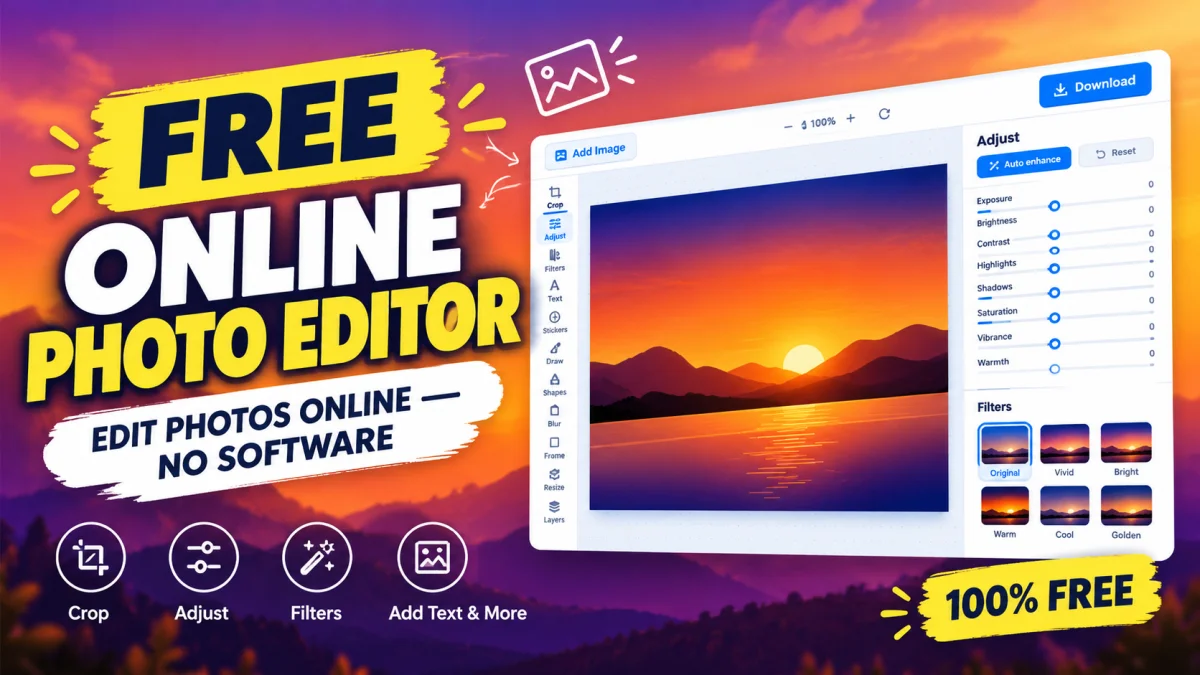
Photo Editor: Free Online Photo Editing & Image Editor
Table of Contents
Editing photos should not require expensive software, advanced design skills, or hours of learning. Whether you want to improve a picture, crop an image, adjust colors, or prepare visuals for social media, a free online photo editor can make the process much easier. Instead of installing bulky applications, you can edit images directly in your browser and save time on everyday editing tasks.
With a free online photo editor, you can make quick adjustments to personal pictures, website images, marketing graphics, and digital content. Toolszu offers an accessible way to get started with free online photo editing without turning a simple task into a complicated design project.
What Is an Online Photo Editor?
An online photo editor is a browser-based tool that lets you modify images without necessarily downloading desktop software. Depending on the tool's features, you can crop pictures, resize images, adjust visual appearance, and prepare photos for different platforms.
These tools are useful for bloggers, students, business owners, social media creators, and anyone who regularly works with digital images.
Traditional desktop editors can offer extensive professional features, but they may require installation, powerful hardware, or a paid subscription. An online image editor is often a more convenient choice for quick edits and everyday creative work.
Why Use a Free Online Photo Editor?
A good photo editing tool helps you improve images while keeping the process simple.
1. Edit Photos Without Installing Software
Browser-based editors eliminate the need to install a separate application for basic editing tasks. You can open a compatible tool, upload an image, make the necessary adjustments, and save the result.
This is especially useful when working on a shared computer or a device with limited storage.
2. Save Money on Everyday Editing
Not every photo requires professional editing software. For simple tasks, a free photo editor may provide everything you need without adding another subscription to your monthly expenses.
You can use it to prepare images for blog posts, improve product pictures, or create content for social media without investing in expensive software.
3. Prepare Images for Different Platforms
Different platforms have different image requirements. A website banner, Instagram post, profile picture, and YouTube thumbnail may all need different dimensions or compositions.
An online image editor can help you adjust images for their intended purpose. Always check the destination platform's current specifications before exporting your final image.
4. Work From Different Devices
Many browser-based photo editors work on modern desktop and laptop browsers. Some also support mobile browsers, allowing you to make simple edits without switching devices.
However, available features and editing controls can vary depending on the tool, browser, and screen size.
How to Edit Photos Online for Free
You do not need advanced design experience to start editing images. Follow these practical steps to create a cleaner, more useful image.
Step 1: Open the Online Photo Editor
Start with Toolszu's online photo editing tool. Open the tool and review the available editing options before uploading your image.
Step 2: Upload Your Image
Choose a suitable image from your device. Use a high-quality original whenever possible, particularly if the picture will appear on a website, in a presentation, or in marketing materials.
Keep a copy of the original file so you can return to it if necessary.
Step 3: Make the Required Adjustments
Focus on the changes that will improve the image rather than applying every available effect.
Common adjustments include:
-
Crop and composition: Remove unnecessary areas and keep attention on the main subject.
-
Brightness and contrast: Improve visibility and make important details easier to see.
-
Color adjustments: Correct colors that look too dull, warm, or cool.
-
Image dimensions: Resize the image for its intended use when the tool supports resizing.
-
Visual effects: Apply filters or other enhancements only when they suit the image.
The exact options available depend on the editor you choose.
Step 4: Preview the Final Result
Review the edited image before saving it. Check for awkward cropping, unnatural colors, unwanted artifacts, and details that may have become difficult to see.
If you are editing product photography or professional images, make sure the final result represents the subject accurately.
Step 5: Download and Check the Image
Save the finished image in an appropriate format. JPEG is commonly used for photographs, PNG is useful when transparency or lossless image quality matters, and WebP can be suitable for web publishing when your workflow supports it.
Open the downloaded file to confirm that it displays correctly and has the expected dimensions.
Best Ways to Use an Online Image Editor
A free image editor can support a wide range of personal and professional tasks.
For Bloggers and Website Owners
Bloggers can improve featured images, prepare illustrations, and adjust photographs before publishing articles. Properly sized images can also help reduce unnecessary page weight when combined with suitable compression.
For better website performance, follow Google's guidance on image optimization and SEO.
For Social Media Creators
Social media creators can prepare profile pictures, post images, promotional graphics, and other visual content. Cropping and adjusting brightness can make a noticeable difference, especially when an image needs to fit a particular layout.
For the best results, begin with a clear image and avoid excessive filters that make the content look unnatural.
For Small Businesses and Online Sellers
Small businesses can use photo editing to improve product images, create promotional visuals, and maintain a consistent appearance across their digital channels.
When editing product photographs, preserve accurate colors and important product details. Customers should be able to understand what they are buying from the image.
For Students and Everyday Users
Students can edit images for assignments, presentations, and projects. Everyday users can improve holiday photographs, crop personal pictures, and prepare images for sharing.
A simple browser-based editor can handle many of these tasks without requiring a complex editing workflow.
Tips for Getting Better Photo Editing Results
Even a feature-rich editor cannot automatically make every image look professional. Good editing starts with a suitable original and a clear objective.
-
Start with a high-resolution image. Enlarging a small image cannot reliably restore missing detail.
-
Avoid excessive sharpening. Too much sharpening can create visible outlines and noise.
-
Keep colors natural. Adjust saturation carefully to prevent skin tones and product colors from looking unrealistic.
-
Choose the right dimensions. Match the image to its intended display size instead of resizing it randomly.
-
Compress images when necessary. Smaller files can improve website loading times, but excessive compression may reduce visual quality.
-
Check mobile appearance. If the image is intended for a website or social media, make sure important content remains visible on smaller screens.
-
Review privacy considerations. Before uploading personal, confidential, or sensitive images, check the tool's privacy policy and understand how uploaded files are processed.
These small practices can improve image quality and help you avoid common editing mistakes.
Online Photo Editor vs. Desktop Photo Editing Software
The right choice depends on the complexity of your project.
An online photo editor is generally convenient for quick adjustments, simple image improvements, and everyday tasks. It can also be useful when you do not want to install additional software.
Desktop photo editing software may be more appropriate for advanced retouching, detailed layer-based work, complex compositing, and professional color management.
Neither option is automatically better for every situation. If you only need to crop, adjust, or prepare a picture for online use, a free browser-based tool may be sufficient. For demanding professional projects, dedicated software may offer more control.
Frequently Asked Questions
1. Can I edit photos online for free?
Yes. Free online photo editors let you make supported image adjustments in a web browser without necessarily paying for software. Available features, usage limits, and export options depend on the specific tool.
2. Do I need to install software to edit photos online?
No. Browser-based photo editors generally do not require a separate desktop installation. You need a compatible browser and an internet connection to access the tool, although individual requirements may vary.
3. Can I use an online photo editor on my mobile phone?
Yes, many online image editors work on mobile browsers. However, the editing experience and available features may differ between phones, tablets, and desktop computers.
4. Which image format is best for edited photos?
JPEG is a common choice for photographs, PNG works well when transparency or lossless quality is important, and WebP is often useful for websites. Choose the format based on the image's purpose and the quality you need.
5. Can an online photo editor improve image quality?
Yes, editing can improve the appearance of an image through adjustments to brightness, contrast, color, and composition. However, editing cannot reliably recover details that were never captured in the original photograph.
6. Are online photo editors safe to use?
They can be safe, but privacy practices vary between providers. Review the tool's privacy policy before uploading sensitive images, and avoid sharing confidential files with services whose data-handling practices you do not understand.
Conclusion
A free online photo editor is a practical solution for anyone who wants to improve images without installing complicated software or paying for features they rarely use. From cropping photographs and adjusting colors to preparing visuals for blogs, social media, and business websites, browser-based editing can simplify everyday creative work.
The key is to choose the right tool, make purposeful adjustments, and check the final image before publishing or sharing it.
If you want a straightforward starting point, try Toolszu's free online photo editor and explore the available features to see whether they meet your image editing needs.
Also Read: 7 Best Free PDF Editors in 2026 — discover useful options for editing PDF documents online.

Shubham
Content Writer
Shubham writes practical content for Toolszu covering digital tools, technology, SEO, productivity, and everyday online solutions. He focuses on helping readers find simple and effective ways to accomplish more online.