
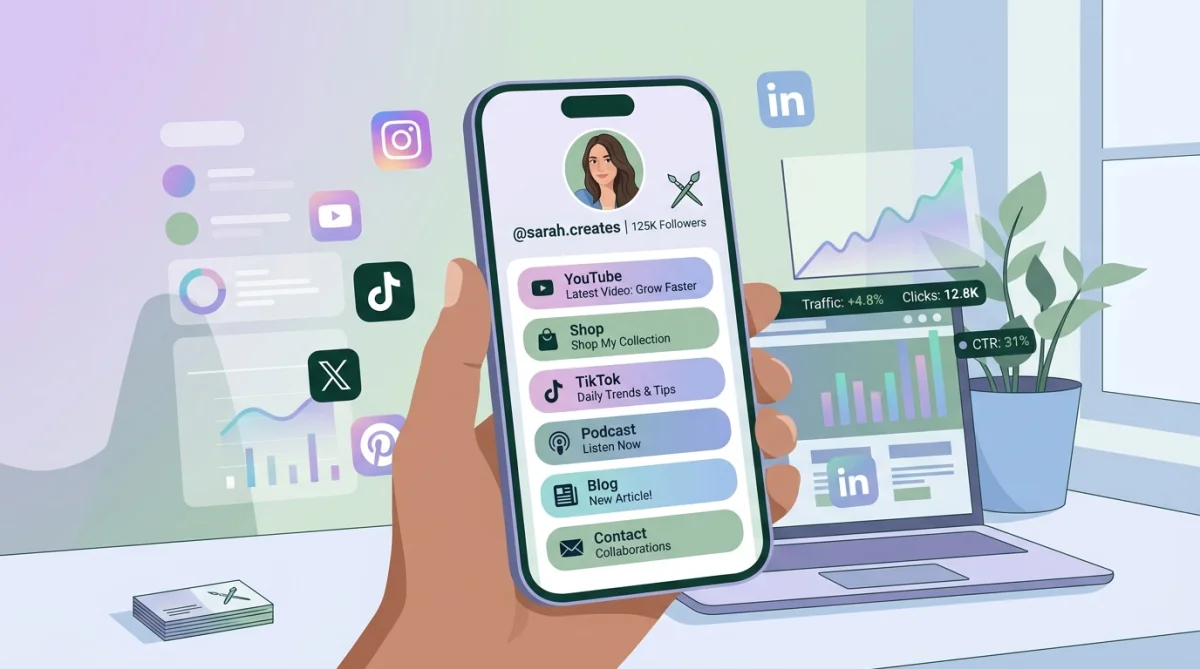
Biolink Pages for Small Businesses | Complete Guide
Table of Contents
If you’re running a small business, chances are you’re active on multiple platforms—Instagram, WhatsApp, YouTube, maybe even a website. The problem? Most platforms allow only one clickable link, which limits how you showcase everything you offer. That’s where biolink pages come in. A biolink page lets you combine all your important links into a single, clean, and mobile-friendly hub. In this guide, you’ll learn what biolink pages are, why they matter, and how to create one that actually drives clicks and conversions.
What Is a Biolink Page?
A biolink page is a simple landing page that hosts multiple links in one place. Instead of choosing just one link for your social media bio, you can direct users to a single page that includes:
- Your website
- Product or service pages
- Social media profiles
- Contact options (WhatsApp, email)
- Promotions or offers
Think of it as a mini-website designed specifically for traffic from social media.
Why Small Businesses Need Biolink Pages
1. Solve the “One Link” Problem
Platforms like Instagram only allow one link in your bio. A biolink page removes that limitation and lets you guide users wherever you want.
2. Improve User Experience
Instead of forcing users to search for information, you provide everything in one place—clean, organized, and easy to navigate.
3. Increase Conversions
When users quickly find what they need, they’re more likely to take action—whether it’s buying a product, booking a service, or contacting you.
4. Track Performance
Most biolink tools offer analytics so you can see which links are getting clicks and optimize accordingly.
Key Features of a High-Converting Biolink Page
Clean and Simple Design
Avoid clutter. A minimal layout with clear buttons works best, especially on mobile devices.
Strong Call-to-Action (CTA)
Use action-driven text like:
- “Shop Now”
- “Book a Free Call”
- “Get Your Quote”
Mobile Optimization
Most users will visit from their phones, so your page must load fast and look good on small screens.
Branding Consistency
Use your brand colors, logo, and fonts to build trust and recognition.
How to Create a Biolink Page (Step-by-Step)
Step 1: Choose the Right Tool
Start by using a reliable platform like the biolink page creator to build your page quickly without coding.
Step 2: Add Your Important Links
Prioritize links based on your business goals:
- Top products or services
- Contact options
- Social proof (reviews, testimonials)
Step 3: Organize Strategically
Place your most important links at the top. Users rarely scroll too much, so visibility matters.
Step 4: Customize Design
Adjust colors, fonts, and layout to match your brand identity.
Step 5: Test Before Publishing
Check:
- All links are working
- Page loads fast
- Looks good on mobile
Best Practices to Maximize Results
Keep It Focused
Don’t overload your page with too many links. 5–8 high-quality links are usually enough.
Update Regularly
Promotions, offers, and seasonal campaigns should be reflected on your biolink page.
Use Clear Labels
Avoid vague text like “Click Here.” Instead, use descriptive labels like “Download Free Guide” or “View Pricing.”
Add Social Proof
Include testimonials or ratings if possible. This builds trust instantly.
Optimize for Speed
A slow page can kill conversions. Compress images and avoid unnecessary elements.
Common Mistakes to Avoid
Too Many Links
More options can confuse users. Keep it simple and goal-focused.
Poor Design
A messy layout can reduce trust. Stick to a clean, professional look.
Ignoring Analytics
If your tool provides insights, use them. Track what works and refine your strategy.
No Clear Goal
Every biolink page should have a purpose—sales, leads, or engagement. Don’t leave it directionless.
FAQs About Biolink Pages
What is the main purpose of a biolink page?
The main purpose is to centralize multiple links into one page, making it easier for users to access all your important content from a single bio link.
Are biolink pages free to create?
Yes, many tools offer free versions with basic features. Advanced customization and analytics may require a paid plan.
How many links should I include?
Ideally, 5–8 links. Focus on quality over quantity to avoid overwhelming visitors.
Can I track clicks on my biolink page?
Yes, most platforms provide analytics to track clicks, user behavior, and performance.
Is a biolink page better than a website?
No, it complements your website. A biolink page is designed for quick access, while a website offers detailed information.
Where should I use my biolink page?
Use it in your Instagram bio, Twitter profile, YouTube description, and even email signatures.
Conclusion
A well-designed biolink page can transform how your small business captures and converts traffic from social media. It simplifies user experience, increases engagement, and helps you make the most of every visitor. The key is to keep it clean, focused, and aligned with your goals. If you haven’t created one yet, now is the right time to start and make your single bio link work much harder for your business.