
Bulk Image Resizer and Converter at a Time: 100% Free Advanced Tool
Table of Contents
- Why You Need a Bulk Image Resizer and Converter
- Toolszu Advanced Image Compressor: A Complete Solution
- Advanced Features That Set It Apart
- How This Tool Helps SEO and Performance
- Who Should Use This Tool?
- Frequently Asked Questions (FAQ)
- Conclusion: A Simple Tool That Saves Time and Boosts Performance
Images are essential for websites, blogs, eCommerce stores, and social media—but managing them can quickly become a problem. Large image files slow down websites, reduce SEO rankings, and hurt user experience. Resizing or converting images one by one wastes time, especially when you’re handling dozens or even hundreds of files.
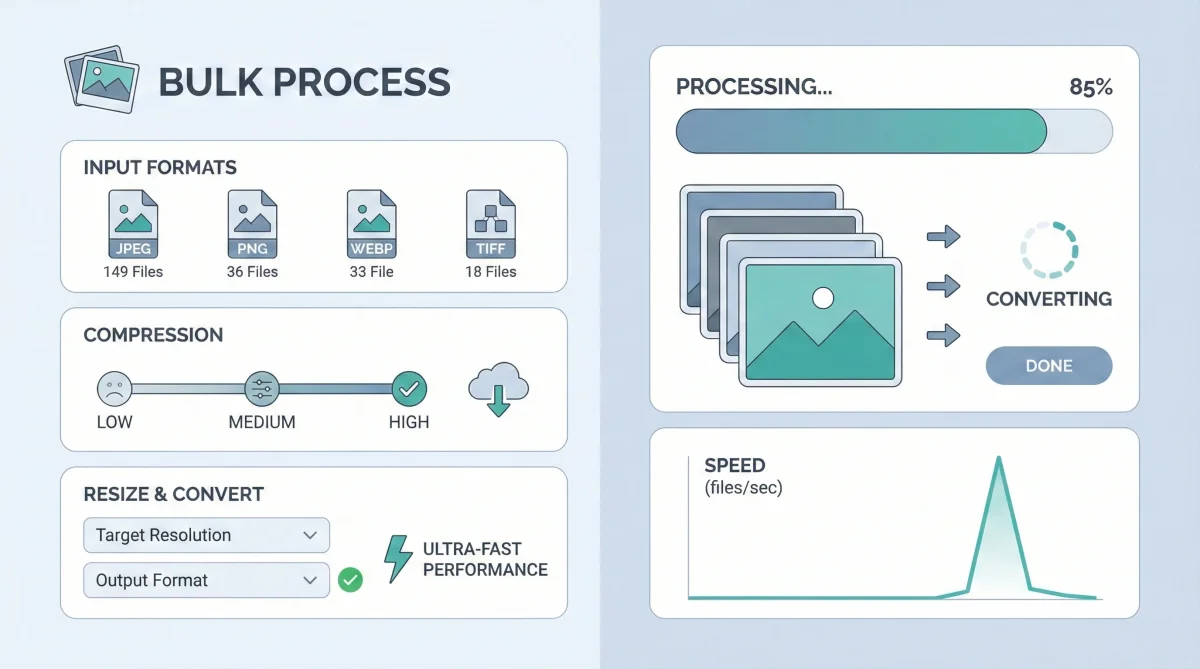
The solution is a bulk image resizer and converter that works fast, supports modern formats, and costs nothing. That’s exactly what the Toolszu Advanced Image Compressor delivers: a powerful, browser-based tool that lets you resize, convert, and optimize images in bulk—100% free.
Why You Need a Bulk Image Resizer and Converter
Handling images manually is inefficient. Whether you’re a blogger, developer, marketer, or store owner, image optimization affects both performance and visibility.
Common Problems Users Face
-
Large image sizes slow page loading
-
Unsupported formats cause upload errors
-
Repetitive resizing wastes hours
-
Paid tools add unnecessary costs
A bulk image resizer and converter solves all these problems in one workflow, without technical complexity.
Toolszu Advanced Image Compressor: A Complete Solution
The Toolszu Advanced Image Compressor is more than a basic image tool. It’s designed for users who want speed, quality, and control—without paying for software.
Key Benefits at a Glance
-
Resize multiple images at once
-
Convert images to modern formats
-
Compress without visible quality loss
-
No watermark, no signup, no limits
You can access the tool instantly here: Advance Image Compressor
Advanced Features That Set It Apart
Bulk Image Resizing
Upload multiple images and resize them in one action. Choose custom dimensions or scale proportionally to maintain quality.
This is especially useful for:
-
Website banners
-
Product images
-
Blog thumbnails
-
Social media creatives
Multiple Image Format Conversion
Convert images between popular formats such as:
-
JPG to PNG
-
PNG to WebP
-
JPEG to WebP
Modern formats like WebP help reduce file size while keeping sharp visuals, which is recommended for SEO and performance.
Smart Compression Engine
The tool uses intelligent compression to reduce file size without noticeable quality loss. This improves page speed and user experience.
According to Google PageSpeed Insights, optimized images are one of the biggest factors in faster-loading websites.
100% Free and Browser-Based
There’s no software installation, no account creation, and no hidden fees. Everything runs directly in your browser, keeping your workflow simple and secure.
How This Tool Helps SEO and Performance
Image optimization directly impacts search rankings. Faster pages lead to lower bounce rates and better engagement.
SEO Advantages
-
Faster loading times
-
Better Core Web Vitals
-
Improved mobile performance
-
Higher chances of ranking in image search
If you already use Toolszu’s optimization tools like their image compression utilities or web performance tools, this bulk resizer integrates perfectly into your workflow.
Who Should Use This Tool?
This bulk image resizer and converter is ideal for:
-
Bloggers managing content images
-
eCommerce store owners uploading products
-
Digital marketers handling ad creatives
-
Developers optimizing site performance
-
Students and freelancers working on projects
No technical skills are required. If you can upload files, you can optimize them.
Frequently Asked Questions (FAQ)
Is the Toolszu bulk image resizer really free?
Yes. The tool is 100% free with no usage limits, watermarks, or hidden costs.
Can I resize and convert images at the same time?
Yes. You can resize images and convert them into another format in a single process.
Does image quality reduce after compression?
No visible quality loss occurs. The tool uses smart compression to balance size and clarity.
Are my images stored on the server?
No. Images are processed securely and not stored permanently, ensuring privacy.
Which formats are supported?
Common formats like JPG, JPEG, PNG, and WebP are fully supported.
Conclusion: A Simple Tool That Saves Time and Boosts Performance
If you’re tired of resizing and converting images one by one, it’s time to switch to a smarter solution. The Toolszu Advanced Image Compressor offers everything you need—bulk resizing, format conversion, and smart compression—in one clean, free tool.
Try it today and simplify your image workflow while improving website speed and SEO.