
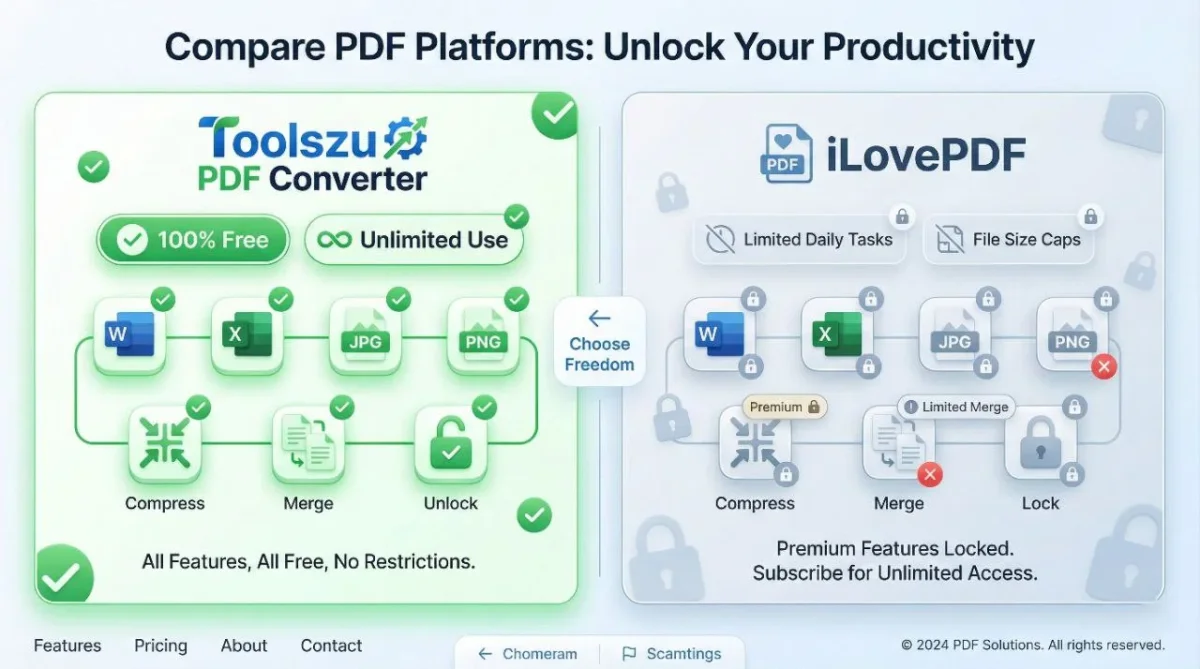
Toolszu PDF Converter vs iLovePDF: Which Is the Best Free PDF Tool in 2026?
Table of Contents
Choosing the right PDF converter can save hours of work, especially if you deal with PDFs daily. Many popular tools claim to be free, but most come with hidden limits, watermarks, or paid restrictions.
In this comparison, we analyze Toolszu PDF Converter vs iLovePDF to see which platform truly offers the best free PDF tools in 2026. We’ll compare pricing, limits, features, and real-world usability to help you choose the right solution.
What Makes Toolszu Stand Out?
Toolszu PDF Converter is designed with one clear mission: provide premium-level PDF tools completely free, without limits.
Unlike many competitors, Toolszu does not restrict:
-
Daily usage
-
File conversions
-
Tool access
-
Core features behind paywalls
This makes it ideal for students, freelancers, startups, and even enterprises looking for cost-effective solutions.
iLovePDF: Popular but Limited
iLovePDF is widely known and trusted, but its free plan comes with restrictions, including:
-
Limited file size
-
Limited conversions per day
-
Slower processing speeds
-
Premium features locked behind paid plans
For occasional use, iLovePDF works fine. However, frequent users quickly hit paywalls.
Feature Comparison: Toolszu vs iLovePDF
| Feature | Toolszu PDF Converter | iLovePDF |
|---|---|---|
| Cost | ✅ 100% Free | ❌ Free with limits |
| Usage Limits | ✅ Unlimited | ❌ Daily & size limits |
| Registration | ❌ No signup required | ❌ Optional |
| Ads | ✅ Minimal | ❌ Moderate |
| Speed | ⚡ Fast | ⏳ Medium |
| Watermark-Free Output | ✅ Yes | ❌ Paid only |
| Security Tools | ✅ Free | ❌ Mostly paid |
Toolszu’s 31+ Free PDF Converter Tools
PDF Conversion Tools
PDF Management Tools
PDF Security Tools
Why Toolszu Is the Better Choice for SEO & Productivity
No Paywalls = Better Workflow
You don’t need to switch tools or upgrade plans mid-task.
Ideal for SEO & Content Teams
Unlimited PDF-to-Word, PDF-to-HTML, and image extraction tools help content teams repurpose documents faster.
Perfect for Students & Businesses
Free compression, merging, and encryption tools make Toolszu practical for daily academic and professional work.
Who Should Use Toolszu PDF Converter or iLovePDF?
Choosing the right PDF tool depends on how often and why you work with PDF files.
Toolszu PDF Converter is ideal if you:
-
Convert PDFs regularly
-
Need unlimited usage without daily restrictions
-
Want a completely free solution
-
Prefer no signup or account creation
-
Work with PDFs for SEO, business, or academic purposes
iLovePDF is suitable if you:
-
Convert PDFs occasionally
-
Don’t mind usage or file-size limits
-
Already use a paid iLovePDF subscription
-
Need basic PDF tasks only
For heavy users, professionals, and teams, Toolszu offers more flexibility and long-term value.
PDF files often create workflow issues, especially when tools are limited or paid.
-
PDF file size is too large → Use the free PDF compression tool
-
Need to edit text inside a PDF → Convert PDF to Word instantly
-
Images stuck inside a PDF → Extract images in one click
-
Password-protected PDF → Unlock PDF securely
-
Multiple PDFs need merging → Merge PDF files online
-
Need images from PDFs → Convert PDF to JPG or PNG
All these problems can be solved on Toolszu without limits or registration.
Frequently Asked Questions (FAQs)
Q1. Is Toolszu PDF Converter completely free?
Yes. Toolszu offers 100% free PDF tools with unlimited usage, no daily limits, and no hidden charges.
Q2. Does Toolszu require signup or login?
No. You can use all PDF tools on Toolszu without creating an account.
Q3. Does iLovePDF limit free users?
Yes. iLovePDF applies daily usage limits, file-size restrictions, and locks advanced features behind paid plans.
Q4. Is it safe to upload PDF files to Toolszu?
Yes. Toolszu processes files securely and does not permanently store uploaded documents.
Q5. Can I use Toolszu PDF tools on mobile devices?
Yes. Toolszu PDF tools work smoothly on mobile phones, tablets, and desktop browsers.
Q6. Which PDF converter is better for students and businesses?
Toolszu is better for students and businesses because it provides unlimited PDF conversions at zero cost.
Why Toolszu Is a Better Choice for Daily PDF Work
For users who work with PDFs daily, limits and paywalls slow productivity. Toolszu removes these barriers by offering fast, unlimited, and secure PDF tools in one place.
Whether you’re a student submitting assignments, a marketer repurposing documents, or a business managing contracts, Toolszu helps you work efficiently without worrying about restrictions or costs.
Final Verdict: Toolszu vs iLovePDF
If you want:
-
Unlimited usage
-
Zero cost
-
No hidden restrictions
-
A complete PDF toolkit
👉 Toolszu PDF Converter is the clear winner.
iLovePDF remains a solid option for light, occasional use, but Toolszu is built for users who want freedom, speed, and scalability—without paying a single rupee.