
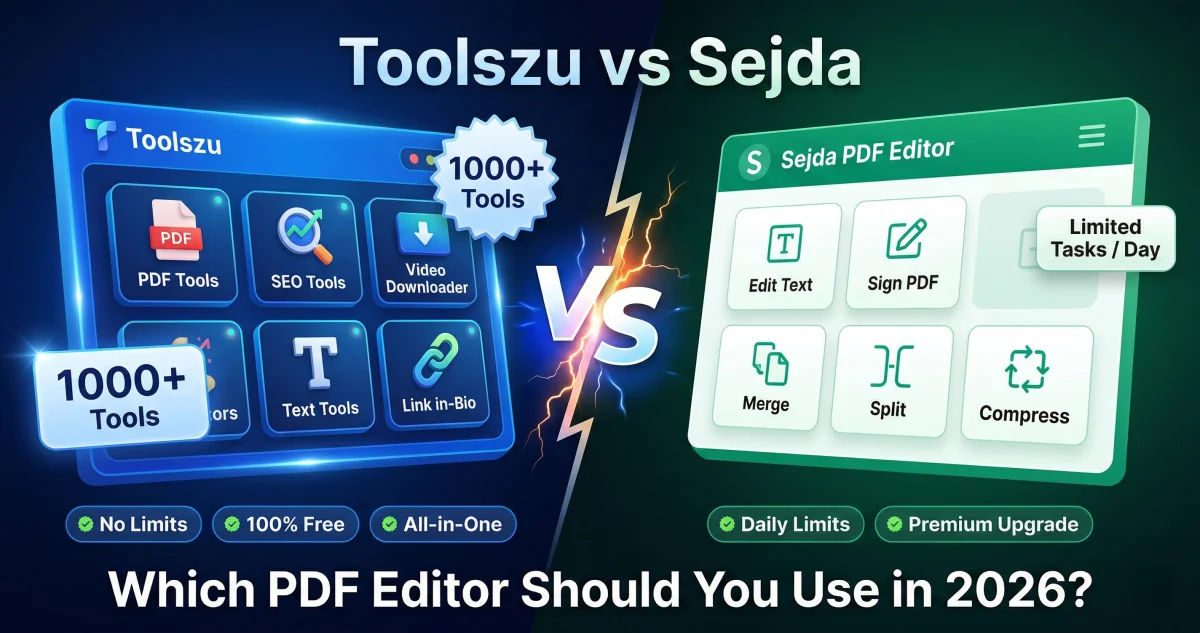
Toolszu vs Sejda: Which PDF Editor Should You Use in 2026?
Table of Contents
If you've been using Sejda for PDF editing, you already know the limitations. Three tasks per hour, file size caps, and a paywall blocking the features you actually need. It's frustrating, especially when you're in the middle of something important.
Toolszu is a genuine alternative that removes all of those friction points. Unlike Sejda, Toolszu doesn't require an account and has no daily usage limits — and beyond PDF tools, it gives you access to 1,000+ free tools across multiple categories that Sejda simply doesn't offer.
Here's the full breakdown so you can make the right call for your workflow.
Quick Verdict
| Feature | Toolszu | Sejda | Winner |
|---|---|---|---|
| Account Required | No | No (limited) | Tie |
| Daily Usage Limits | None | 3 tasks/hour | ✅ Toolszu |
| File Size Limit | No | 50MB (free) | ✅ Toolszu |
| 100% Free | Yes | Freemium | ✅ Toolszu |
| Number of Tools | 1,000+ | ~25 PDF tools | ✅ Toolszu |
| PDF Text Editing | Yes | Yes | Tie |
| PDF Merge | Yes | Yes | Tie |
| PDF Compress | Yes | Yes | Tie |
| PDF to Word | Yes | Yes | Tie |
| Video Downloaders | Yes | No | ✅ Toolszu |
| SEO Tools | Yes | No | ✅ Toolszu |
| Mobile Friendly | Yes | Yes | Tie |
| Ads on Site | Minimal | Yes | ✅ Toolszu |
Sejda is a decent PDF editor but limits free users to 3 tasks per hour with a 50MB file cap. Toolszu removes both restrictions entirely — and brings 1,000+ additional tools to the table.
What Is Toolszu?
Toolszu.com is a completely free online toolkit with over 1,000 tools. It covers PDF conversion and editing, video downloading, SEO and website analysis, image tools, text formatting, link-in-bio creation, and much more. No account is needed, no task limits apply, and every single feature is free — no exceptions.
What Is Sejda?
Sejda is a web-based PDF editor that's been around since 2012. It's particularly popular for its PDF text editing feature, which lets users edit text directly inside a PDF file — something many online PDF tools struggle with. Sejda also offers a desktop app for Windows, Mac, and Linux.
However, the free version is quite restricted. Users are limited to 3 tasks per hour, files must be under 50MB, and documents can have no more than 200 pages. Exceeding any of these means you need to upgrade to the paid plan, which starts at around $7.50/month.
Feature-by-Feature Breakdown
1. Usage Limits — Where Toolszu Wins Clearly
Sejda's 3-tasks-per-hour limit sounds reasonable until you actually hit it mid-project. If you need to compress, merge, and then convert a PDF in one sitting — you're already at your limit and waiting for the clock to reset.
Toolszu has no hourly or daily limits whatsoever. Use the PDF compressor, PDF merger, and PDF to Word converter as many times as you need, back to back, with no interruptions.
2. File Size Restrictions
Sejda's free tier caps files at 50MB. For most casual users that's fine, but anyone working with scanned documents, presentation PDFs, or large reports will frequently run into this wall.
Toolszu doesn't impose file size restrictions on its free tools, making it far more practical for real-world use.
3. PDF Text Editing
This is Sejda's strongest feature. Its in-browser PDF text editor is one of the more capable free options online, allowing users to click and edit text directly within a PDF. Toolszu's PDF editor also supports PDF editing, and for most users the functionality is more than sufficient.
If you're doing heavy, precise text editing on complex PDFs regularly, Sejda has a slight edge here. For everything else, Toolszu covers it well.
4. Core PDF Tools
Both platforms handle the essential PDF tasks — merge, split, compress, convert, rotate, watermark, protect, and unlock. Toolszu additionally covers PDF to JPG, Word to PDF, Excel to PDF, and more — all without any usage restrictions.
5. Tools Beyond PDF
Sejda is PDF-only, full stop. Toolszu goes far beyond — video downloaders, SEO tools, image converters, text generators, QR code creators, banking tools, and more. If you want one platform that handles your daily digital tasks without jumping between multiple websites, there's no contest.
6. Desktop App
Sejda offers a desktop application for Windows, Mac, and Linux — useful if you prefer working offline. Toolszu is web-only, but since everything runs in the browser with no install needed, this matters less than it sounds for most users.
7. Mobile Experience
Both tools work on mobile browsers. Toolszu is built with mobile users in mind, which makes sense given that over 53% of its traffic comes from mobile devices. Sejda's interface works on mobile but is clearly designed with desktop in mind.
When to Use Toolszu
- You need unlimited PDF tasks without hitting hourly caps
- Your files regularly exceed 50MB
- You want more than just a PDF editor — SEO tools, video downloaders, image tools, and more
- You don't want to create an account or share personal information
- You're on mobile and need something fast and lightweight
When to Use Sejda
- You need advanced in-browser PDF text editing on complex documents
- You prefer having a desktop app for offline use
- You're already on Sejda's paid plan and satisfied with it
Final Verdict: Toolszu Wins for Everyday Use
For the vast majority of users, Toolszu is the better choice. It removes the task limits, file size caps, and account requirements that make Sejda's free tier genuinely frustrating. And with 1,000+ additional tools available on the same platform, you're getting far more value.
Sejda earns credit for its PDF text editing capability, and if that specific feature is your priority, it's worth trying. But for unlimited, unrestricted, free PDF work — and everything else — Toolszu is the smarter option.
Start using Toolszu for free at toolszu.com — no account needed, no limits, just tools that work.
Frequently Asked Questions
Does Sejda have a free plan? Yes, but it limits free users to 3 tasks per hour, files under 50MB, and documents with fewer than 200 pages. Once you exceed any of these limits, you need to upgrade to a paid plan.
Can Toolszu edit text inside a PDF? Yes. Toolszu's PDF editor allows you to edit and modify PDF content directly in your browser, free of charge and without any account requirement.
Is Toolszu better than Sejda for students? For most students, yes. Toolszu has no usage limits, no file size caps, and no account requirement — making it far more practical for converting assignments, merging documents, or compressing files on the go.
Does Toolszu work without creating an account? Yes. Toolszu requires no registration whatsoever. Just open the site and start using any tool immediately.
Which tool is better for large PDF files? Toolszu, without question. Sejda's free tier caps files at 50MB. Toolszu has no such restriction, making it a better choice for larger documents.