
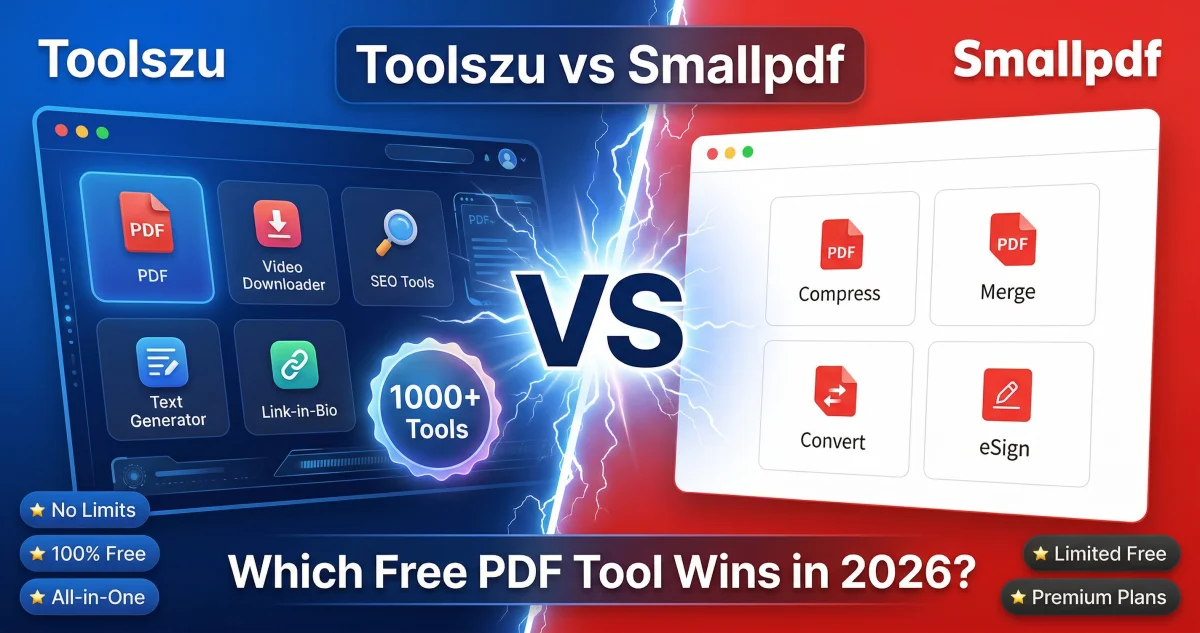
Toolszu vs Smallpdf: Which Free PDF Tool Wins in 2026?
Table of Contents
If you've been using Smallpdf for your day-to-day PDF tasks, you've probably hit that frustrating wall — two tasks done, and then it stops you cold. That daily limit is one of the biggest complaints among Smallpdf's free users, and it's exactly why thousands of people are switching to alternatives every month.
Toolszu is one of those alternatives — and honestly, it does a lot more than just replace Smallpdf. Unlike Smallpdf, Toolszu doesn't require an account and has no daily usage limits. You get access to 1,000+ free tools covering everything from PDF conversion to video downloading, SEO analysis, and more — all without spending a rupee or dollar.
Let's break down the full comparison so you can decide which tool actually fits your workflow.
Quick Verdict
| Feature | Toolszu | Smallpdf | Winner |
|---|---|---|---|
| Account Required | No | Yes (for most features) | ✅ Toolszu |
| Daily Usage Limits | None | 2 tasks/day (free) | ✅ Toolszu |
| 100% Free | Yes | No — Freemium | ✅ Toolszu |
| Number of Tools | 1,000+ | ~20 PDF tools | ✅ Toolszu |
| PDF Merge | Yes | Yes | Tie |
| PDF Compress | Yes | Yes | Tie |
| PDF to Word | Yes | Yes | Tie |
| PDF Editing | Yes | Yes (limited free) | Tie |
| E-Signature | No | Yes (paid) | ✅ Smallpdf |
| Video Downloaders | Yes | No | ✅ Toolszu |
| SEO Tools | Yes | No | ✅ Toolszu |
| Link-in-Bio Tool | Yes | No | ✅ Toolszu |
| Mobile Friendly | Yes | Yes | Tie |
| Ads on Site | Minimal | Yes | ✅ Toolszu |
Bottom line: Smallpdf is a polished PDF tool but locks most functionality behind a paid plan. Toolszu gives you more tools, more freedom, and zero restrictions — completely free.
What Is Toolszu?
Toolszu.com is a free all-in-one online platform with over 1,000 tools across multiple categories. Need to merge a PDF? Done. Want to compress a PDF without losing quality? Also done. Beyond PDFs, Toolszu covers video downloading, SEO tools, image editing, text formatting, hashtag generation, link-in-bio creation, and a whole lot more.
The biggest thing that sets Toolszu apart is simple: no account, no limits, no paywalls. You open the site and start working — that's it.
What Is Smallpdf?
Smallpdf is a Swiss-based PDF platform that launched back in 2013. It has a clean, professional interface and covers around 20 PDF-specific tasks. The brand is well-known globally, particularly in the US and Europe.
However, Smallpdf is fundamentally a freemium product. Free users are capped at 2 tasks per day, and many of the more useful features — like batch processing, e-signatures, and PDF editing — are locked behind a Pro subscription that costs around $12/month. For casual users or anyone on a budget, that's a significant limitation.
Feature-by-Feature Breakdown
1. Free Usage Limits — The Biggest Difference
This is the core issue with Smallpdf. Free users get just 2 PDF tasks per day. If you're compressing a file, converting a document, and then need to merge something — you're already blocked. You either pay or you wait until tomorrow.
Toolszu has no such limit. Use the PDF compressor, PDF merger, and PDF to Word converter back to back, as many times as you need. No countdown, no paywall.
2. Account Requirement
Smallpdf requires you to create an account to access the full range of features, and some tasks push you toward signing up even for basic use.
Toolszu requires zero registration. Open the site, use the tool, done. Your files aren't stored anywhere and your data isn't collected — which is also a privacy win.
3. PDF Tools Quality
For core PDF tasks, both tools deliver solid results. Toolszu handles PDF to Word, Word to PDF, Excel to PDF, PDF splitting, rotating, watermarking, encryption, decryption, and more.
Smallpdf's output quality is generally good too, but you'll hit the daily cap before you get through a busy workflow.
4. Number of Tools
Smallpdf focuses exclusively on PDF tasks — around 20 tools in total. That's it.
Toolszu offers 1,000+ tools spanning PDF, image editing, SEO, video downloading, text tools, QR codes, banking tools, and much more. If you're looking for a single platform that handles your daily digital tasks without switching between 10 different websites, Toolszu is in a completely different league.
5. Video Downloaders
This is where the two tools don't even compare. Toolszu's All-in-One Video Downloader supports 50+ platforms including Instagram, TikTok, Facebook, YouTube, and many more. Smallpdf doesn't touch this category at all.
6. SEO & Website Tools
Toolszu includes a solid set of SEO tools — Domain Authority Checker, Plagiarism Checker, Keyword Suggestion Tool, Backlink Checker, XML Sitemap Generator, and more. None of these exist on Smallpdf — it's purely a PDF tool.
7. Link-in-Bio Tool
Toolszu has its own link-in-bio creator — useful for Instagram, TikTok, and YouTube creators who want a simple bio page without paying for Linktree. Smallpdf has nothing remotely similar.
8. Pricing
Smallpdf's free tier is so restricted that it barely qualifies as "free." Their Pro plan costs around $12/month or $108/year. If you're a student, freelancer, or casual user, that's hard to justify when Toolszu gives you everything for free.
When to Use Toolszu
- You're tired of hitting Smallpdf's 2-task daily limit
- You need a free PDF tool with no account and no restrictions
- You want more than just PDF tools — SEO, video downloading, image editing, and more in one place
- You're on mobile and need a lightweight, fast experience
- You handle multiple PDF tasks per day and can't afford to be blocked
When to Use Smallpdf
- You need e-signature functionality (Smallpdf has a decent e-sign feature)
- You're already on a paid Smallpdf plan and happy with it
- You specifically prefer Smallpdf's clean, minimal interface for PDF-only work
Final Verdict: Toolszu is the Clear Winner for Free Users
For anyone using the free tier, Toolszu wins this comparison without much debate. Smallpdf's 2-task daily limit is a deal-breaker for regular use, and the paid plan is hard to justify when Toolszu offers unlimited access to far more tools at zero cost.
If you're doing occasional light PDF work and don't mind the restrictions, Smallpdf is still a decent tool. But if you want something you can rely on every single day — for PDFs and beyond — Toolszu is the smarter choice.
Try Toolszu free at toolszu.com — no sign-up, no daily limits, 1,000+ tools ready to use right now.
Frequently Asked Questions
Does Smallpdf have a free plan? Yes, but it's heavily restricted. Free users can only complete 2 PDF tasks per day. After that, you're prompted to upgrade to a paid plan. Toolszu has no such limit — all tools are completely free with no daily cap.
Is Toolszu safe to use for PDF files? Yes. Toolszu processes your files securely and doesn't store them after the task is complete. You don't need to create an account or share any personal information.
Can I use Toolszu instead of Smallpdf? Absolutely. Toolszu covers all the core PDF tasks that Smallpdf offers — merge, compress, convert, split, rotate, watermark, encrypt, and more — without any daily limits or account requirements.
Which is better for students — Toolszu or Smallpdf? Toolszu is the better choice for students. It's completely free, requires no sign-up, and has no daily task limits — making it ideal for converting assignments, compressing submissions, or merging documents at any time.
Does Toolszu work on mobile? Yes. Toolszu is fully optimized for mobile browsers. Over 53% of Toolszu's users access the platform on their phones, so the experience is smooth and fast on any device.